Run 3D
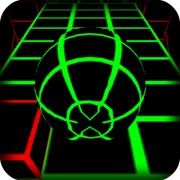
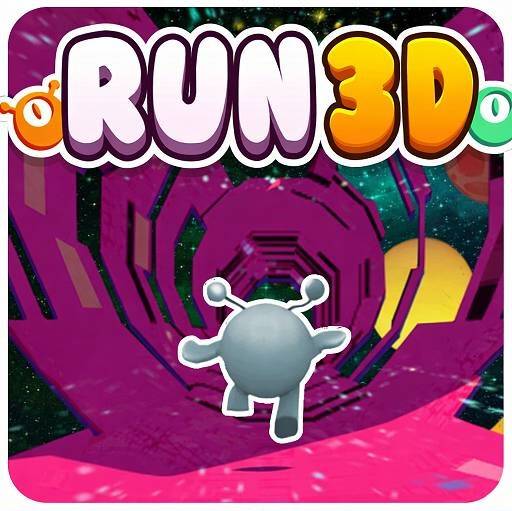
Tired of runner games that only involve running on flat ground? Run 3D takes you into outer space with 360-degree rotating tunnels, where you can run on walls, crawl on ceilings, and even spin the world to find your way. Get ready for the ultimate reflexes challenge!
Explore the Endless Running Loop
Run 3D operates on a simple yet addictive loop: the character runs automatically (auto-run). You don't need to press the forward button; just focus on controlling.
- Jump over gaps. When you encounter a gap, jump to avoid falling into the abyss.
- Rotate the tunnel to avoid gaps. You can rotate the entire tunnel to turn walls into roads.
- Speed increases with distance. The further you run, the faster the pace and the more intense the challenge.
Tunnel Rotation: The Soul of Run 3D
The tunnel rotation mechanism is the "soul" of Run 3D. Unlike other running games that only let you run on a flat surface, Run 3D allows you to:
- Run on walls when you encounter large holes ahead.
- Climb ceilings to overcome broken sections of the path.
- Rotate tunnels to turn any surface into a safe path.
This creates a sense of freedom and creativity in every step; you not only passively dodge but also actively change the terrain.
Detailed How-to Guide: Run through space and rotate tunnels endlessly
Step 1: Choose a mode
- Infinity mode: Run without a destination; challenge yourself to see how far you can go.
- Explore mode: Overcome levels with increasing difficulty and collect coins.
Step 2: Get familiar with the controls
- ← / → or A / D: Move left/right while rotating the tunnel
↑ / W / Spacebar: Jump over holes or obstacles
Step 3: Rotate the tunnel to turn the surface into a path
Large holes coming up? Plan your tunnel rotation early. If you see a long stretch of holes, rotate to run on the wall where the surface is smooth. Jumping isn't always necessary. Sometimes rotating the tunnel is enough. The further you go, the faster you go. Your reflexes must increase exponentially.
Pro Tips for Run 3D
| Tip | Explanation |
|---|
| 1. Don't jump unless necessary | Jumping disrupts your running momentum. Only jump when the gap is too wide to rotate around. |
| 2. Rotate the tunnel instead of dodging | If you see obstacles, try rotating the tunnel to find a clean surface rather than weaving through. |
| 3. Maintain a steady rhythm | Speed increases gradually, but you don't need to tap constantly. Move smoothly and decisively. |
| 4. Use Explore mode to practice | Explore mode has shorter levels, helping you get familiar with rotation mechanics before tackling Infinity mode. |
| 5. Focus on the distance ahead | Don't look directly under your feet. Look far ahead to give yourself more reaction time. |
Run 3D: Running through space, endless tunnel rotations
Run 3D combines quick reflexes, spatial thinking, and the ability to adapt to speed. The unique tunnel rotation mechanism transforms each run into a new experience, where you not only run but also "master the space." With vibrant 3D graphics and simple yet challenging gameplay, Run 3D is sure to be the ideal choice for those who love reflex games. Take a deep breath, step into the space tunnel, and see how far you can run!
Running Games